

Introduction
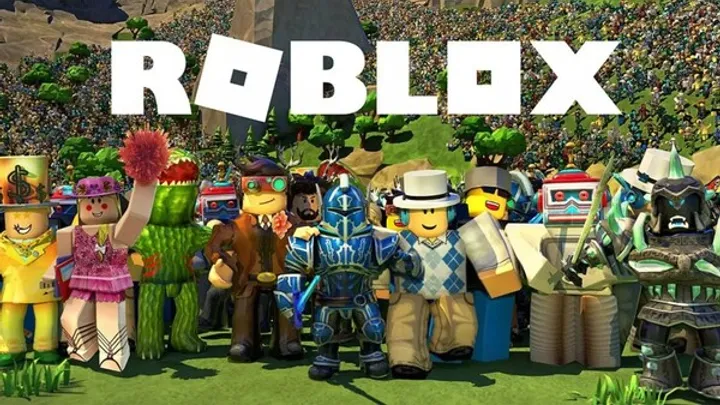
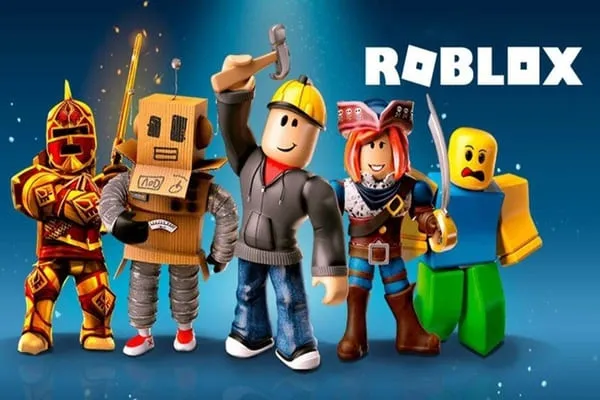
Roblox is more than just a game; it’s a platform that empowers users to create, share, and play games developed by others. With a vast universe of user-generated content, Roblox offers endless possibilities for fun and creativity. Whether you’re an experienced player or a newcomer, navigating this expansive platform can be overwhelming. This guide aims to equip you with essential tips and strategies to enhance your Roblox experience, from basic navigation and game choices to creating your own games.
Understanding Roblox Basics
What is Roblox?
Roblox is an online platform that allows users to create and play games created by other users. It encompasses a wide array of genres, including adventure, role-playing, simulation, and more. With millions of active players, it serves as a vibrant community where creativity thrives.
Gameplay Mechanics
Roblox operates on a simple mechanic: players can join various games, each with its unique rules and objectives. Players can earn in-game currency, called Robux, for purchases and upgrades. Understanding the gameplay mechanics is essential for fully enjoying your time on the platform.
Important Features:
- User-Created Content: Every game in Roblox is created by players, offering a diverse selection of gameplay experiences.
- Customization: Players can customize their avatars and even create their unique game worlds.
Getting Started: Setting Up Your Account
Creating Your Roblox Account
To play Roblox, you first need to create an account. The process is straightforward and ensures your safety within the community.
Steps to Create Your Account:
- Visit the Roblox Website: Go to Roblox.com.
- Sign Up: Fill out the registration form with your date of birth, username, password, and gender.
- Verify Your Email: An email verification will be sent to your registered email. Ensure you confirm it for enhanced account security.
Customizing Your Avatar
After creating your account, the next step is customizing your avatar. This feature allows you to express your personality within the game.
Customization Options:
- Outfits: Choose from a wide range of clothing, accessories, and items available in the avatar shop.
- Body Types: Configure your avatar's size, shape, and skin tone.
Navigating the Roblox Interface
Understanding the Dashboard
The Roblox dashboard serves as your main control center where you can access different functionalities such as games, friends, and settings.
Key Sections:
- Home: Displays featured games and social updates.
- Games: Browse and search for games by categories.
- Avatar: Explore customization options for your avatar.
Searching for Games
Finding the right games can be a daunting task given the sheer volume of user-generated content. Here's how to streamline your search effectively.
Search Techniques:
- Filters: Use the filters (most popular, most played, etc.) to narrow down your choices.
- Categories: Explore specific genres that interest you, such as “Adventure” or “Roleplay.”
Playing Games: Tips for Success
Selecting the Right Game
With millions of games available, selecting the right one can significantly affect your enjoyment. Keep your preferences in mind when choosing.
Game Types to Explore:
- Adventure Games: Ideal for players who enjoy narratives and exploration.
- Simulation Games: Great for players who want to experience life or social scenarios.
Understanding Game Controls
Each game in Roblox may have different controls and objectives. Familiarizing yourself with the specific controls will enhance your gameplay experience.
Common Controls to Know:
- Movement: Use the WASD keys or arrow keys to navigate your avatar.
- Interaction: Press the spacebar or the left mouse button to interact with objects.
Building Your Own Game
Introduction to Roblox Studio
For those interested in creating their own games, Roblox Studio is an invaluable tool. It allows users to design and build their game worlds.
Getting Started with Roblox Studio:
- Download Roblox Studio: It’s a separate download available through the Roblox website.
- Familiarize Yourself: Spend time exploring the interface and various tools available for building.
Basic Game Development Concepts
Before diving into building, understanding some basic game development concepts is essential.
Key Concepts:
- Terrain and Environment: Learn about terrain types and how to create an engaging environment.
- Scripting: Gain basic knowledge of Lua programming, which is used for scripting in Roblox.
Monetizing Your Game
Understanding Robux and Game Passes
If you create a game that gains popularity, you can monetize it through in-game purchases.
Ways to Earn Robux:
- Game Passes: Create special items or abilities players can purchase for Robux.
- In-Game Currency: Implement a currency system in your game where users can buy items or upgrades.
Setting Up Transactions
Setting up transactions and monetizing your game requires some planning and execution.
Steps to Monetize:
- Create Game Passes: Go to the "Create" tab on your dashboard and set up your game pass.
- Promote Your Game: Advertise your game through social media or game forums to attract players.
Social Interaction on Roblox
Adding Friends and Joining Groups
Roblox is not just about games; it’s also a social platform where you can make friends and join communities.
Connecting with Friends:
- Adding Friends: Search for players and send them a friend request.
- Joining Groups: Participate in groups that align with your interests for collaborative activities.
Utilizing Chat Functions
Roblox allows players to communicate with one another. Familiarizing yourself with the chat system can enhance your social experience.
Chat Functions:
- Private Messages: Send direct messages to friends for private conversations.
- Group Chats: Engage in discussions within group chats to share ideas and strategies.
Safety and Security in Roblox
Understanding Roblox Safety Features
Roblox prioritizes safety for its players, especially younger audiences. Familiarizing yourself with these features is crucial for a secure experience.
Safety Features:
- Privacy Settings: Adjust your settings to limit who can message or friend you.
- Content Filtering: Roblox employs content filters to block inappropriate language.
Reporting and Blocking
If you encounter inappropriate behavior or content, Roblox provides tools to report and block users effectively.
Reporting Steps:
- Access the User Profile: Click on the user’s name to access their profile.
- Report: Click the ‘Report Abuse’ button and follow the prompts to report them.
Advanced Gameplay Strategies
Developing Game Strategies
In competitive games, having strategies can significantly improve your chances of winning.
Tips for Strategy Development:
- Study Opponents: Learn the play styles of others to anticipate their moves.
- Adapt Your Gameplay: Be flexible and willing to adjust your strategies based on the game's flow.
Collaborating with Friends
Playing with friends can enhance your enjoyment and provide a strategic advantage.
Benefits of Collaboration:
- Shared Knowledge: Discuss tactics with friends to improve collectively.
- Group Activities: Engage in team activities where collaboration can lead to success.
Keeping Up with Roblox Updates
Staying Informed
Roblox frequently updates its platform with new features, games, and improvements. Staying informed is crucial for maximizing your experience.
How to Stay Updated:
- Official Blog: Follow the Roblox blog for announcements about updates and new features.
- Social Media: Check Roblox’s social media pages for real-time updates and community discussions.
Participating in Events
Roblox hosts various events throughout the year, offering unique experiences and rewards.
Types of Events:
- Seasonal Events: Look out for events tied to holidays or special occasions.
- Developer Events: Participate in contests or games organized by official developers.
Conclusion
Roblox is an expansive and versatile platform that offers endless possibilities for gaming, creativity, and social interaction. By mastering the basics, exploring game development, monetizing your creations, and engaging with the community, you can enhance your experience significantly. Staying informed about updates and safety features is crucial for a secure and enjoyable time on Roblox. Dive in, explore, and let your imagination run wild in this vibrant virtual world!
Summary
This guide provides tips for mastering Roblox, covering account setup, game navigation, game creation, monetization, social interaction, and safety for an enjoyable experience.